
As you explore the world of video games, you’ll notice that accessibility features are becoming increasingly important. You want to ensure that your gaming experience is enjoyable for everyone, regardless of their abilities. By designing games with accessibility in mind, you can create a more inclusive environment for all players. Your understanding of accessibility features will help you appreciate the efforts of game developers who prioritize inclusive play, making gaming a more enjoyable experience for you and your community.
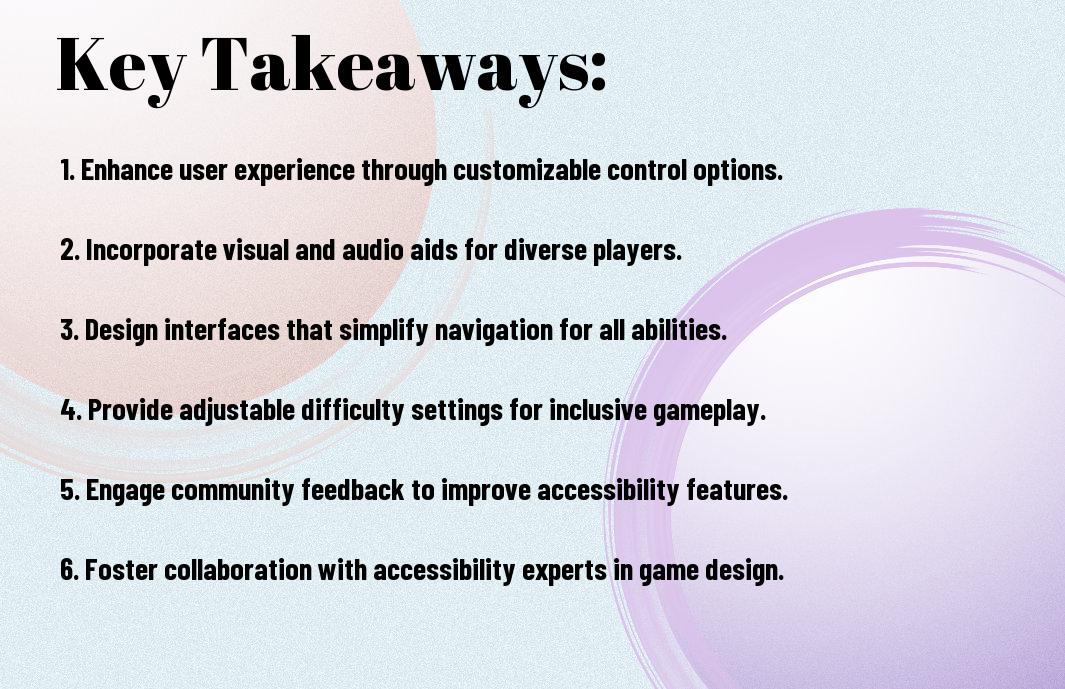
Key Takeaways:
- Designing video games with accessibility in mind allows a wider range of players to enjoy the game, including those with disabilities, and can lead to a more diverse and inclusive gaming community.
- Accessibility features such as subtitles, closed captions, and audio descriptions can greatly enhance the gaming experience for players with hearing or visual impairments.
- Customizable controls and difficulty levels can help players with mobility or cognitive impairments to play the game at their own pace and comfort level.
- Colorblind mode and high contrast options can assist players with visual impairments, making it easier for them to distinguish between different elements in the game.
- Accessibility guidelines and standards, such as the Web Content Accessibility Guidelines (WCAG), can provide a framework for game developers to follow when designing accessible games.
- Playtesting with players with disabilities can help identify and address accessibility issues early on in the game development process, ensuring a more inclusive and enjoyable experience for all players.
- Implementing accessibility features can also benefit players without disabilities, such as those playing in loud environments or preferring to play with subtitles, making the game more enjoyable and convenient for a broader audience.
Physical Accessibility Features
Before designing a game, you should consider the physical accessibility features that will enable players with disabilities to enjoy your game. This includes customizable controls, alternative input methods, and other features that cater to different needs.
Controller Customization
The ability to customize your controller settings is imperative for players with physical disabilities, allowing you to tailor the gameplay experience to your needs and preferences.
Alternative Input Methods
Accessibility options, such as eye-tracking or mouth-operated controllers, can greatly enhance your gaming experience, providing you with more ways to interact with the game world.
Methods like these can be especially helpful for players with severe mobility impairments, allowing you to play games that might otherwise be inaccessible, and enabling you to fully immerse yourself in the game, using your preferred input method to control the action on screen, and explore the virtual world with ease, making your gaming experience more enjoyable and inclusive.
Visual Accessibility Elements
If you’re designing a game, considering visual accessibility elements is vital to ensure an inclusive experience for all players. You can incorporate features that cater to different visual needs, making your game more enjoyable for a broader audience.
Color Blind Modes
One of the key aspects to consider is color blind modes, which allow you to adjust the color palette to accommodate players with color vision deficiency, enabling you to enjoy the game without any visual barriers.
Text Scaling Options
About the text scaling options, you have the ability to adjust the font size, making it easier for you to read and understand the in-game text, subtitles, and menus, allowing for a more comfortable gaming experience.
Options for text scaling can be customized to fit your preferences, enabling you to choose the perfect size for your needs, and you can also adjust the font style and color to suit your visual preferences, making the game more accessible and enjoyable for you.

Auditory Design Considerations
For players who are deaf or hard of hearing, auditory design is imperative for an immersive gaming experience. You should consider how your game’s audio elements, such as music and sound effects, can be adapted to meet the needs of these players.
Subtitle Implementation
Bridging the gap between audio and visual elements, you can implement subtitles to provide a more inclusive experience. You will find that this simple addition can greatly enhance your game’s accessibility.
Sound Alternatives
Deliberately designing your game with sound alternatives in mind, you can create a more engaging experience for all players. You can use visual or tactile cues to convey important information, allowing players to fully enjoy your game.
Considering the various options for sound alternatives, you can choose to use vibration feedback, closed captions, or even descriptive audio to enhance your game’s accessibility. You will need to think about how these alternatives can be tailored to meet the specific needs of your players, and how they can be seamlessly integrated into your game’s design to create a more inclusive and enjoyable experience for everyone.
Cognitive Accessibility
Many gamers face cognitive barriers that hinder their ability to fully enjoy a game, which is why you should consider accessibility when designing your game, you can visit Game Accessibility Guidelines – A straightforward reference for inclusive game design for more information.
Difficulty Settings
Beneath the surface of every game lies a complex web of mechanics, and you can make adjustments to create a more inclusive experience, by implementing flexible difficulty settings that allow players to tailor their experience to their abilities.
Learning Curve Adjustments
Once you’ve considered difficulty settings, you can further enhance your game’s accessibility by implementing learning curve adjustments, allowing you to introduce new concepts at a pace that works for each player, enabling them to learn and progress at their own speed.
With learning curve adjustments in place, you can help prevent player frustration and anxiety, as you provide a more inclusive experience, allowing players to fully engage with your game, and by doing so, you can increase player satisfaction and enjoyment, which can lead to a more loyal player base and positive word-of-mouth about your game.
Interface Design
Your interface design should be intuitive and easy to use, allowing players to focus on the game itself, rather than struggling with menus and controls.
Menu Navigation
Across various platforms, you’ll find that well-designed menu navigation is crucial for an enjoyable gaming experience, enabling you to easily access options and settings.
HUD Customization
Beneath the surface of a well-designed game lies a customizable Heads-Up Display (HUD), allowing you to personalize your gaming experience to suit your needs and preferences.
Also, by providing options to customize the HUD, you can tailor the display of information to your individual needs, such as resizing fonts, adjusting color schemes, or hiding unnecessary elements, which can greatly enhance your overall gaming experience and make it more accessible.
Testing and Implementation
Not until you test your game with diverse players can you ensure its accessibility features are effective. You can learn more about accessibility in game development by visiting why developers are designing video games for accessibility to understand the importance of inclusive design.
User Feedback Integration
Among the key steps in testing is gathering user feedback, which you can use to identify and fix accessibility issues, allowing you to refine your game and make it more enjoyable for all players.
Accessibility Guidelines
On the topic of accessibility, you’ll find various guidelines to follow, which will help you create a more inclusive gaming experience, such as incorporating customizable controls and audio descriptions.
With these guidelines in mind, you can develop a game that caters to a wide range of players, including those with disabilities, by providing options like text-to-speech functionality, closed captions, and customizable difficulty levels, allowing you to create a more immersive and engaging experience for your players.
Summing up
Taking this into account, you now have a better understanding of the importance of video game accessibility. As you design your games, you should consider the needs of all players, ensuring your creations are inclusive and enjoyable for everyone. By doing so, you will not only tap into a broader audience but also enrich your players’ experiences, making your games more engaging and rewarding for years to come, and ultimately enhancing your reputation as a developer who values your players’ diverse needs.
FAQ
Q: What is video game accessibility and why is it important in game design?
A: Video game accessibility refers to the design and development of games that can be played by people with disabilities, including visual, auditory, motor, and cognitive disabilities. It is important in game design because it allows a broader audience to enjoy and participate in gaming, promoting inclusivity and equality. By incorporating accessibility features, game developers can ensure that their games are enjoyable for players of all abilities, which can lead to increased player satisfaction, positive word-of-mouth, and a larger player base.
Q: What are some common accessibility features that can be implemented in video games to support inclusive play?
A: Some common accessibility features that can be implemented in video games include subtitles and closed captions for players who are deaf or hard of hearing, customizable font sizes and colors for players with visual impairments, and remappable controls for players with motor disabilities. Additionally, games can include features such as audio descriptions for blind players, screen reader support, and options to adjust difficulty levels or enable assistive technologies like auto-aim or invincibility. These features can be tailored to meet the specific needs of different players, ensuring that everyone can fully engage with and enjoy the game.
Q: How can game developers ensure that their games are accessible to players with disabilities, and what resources are available to support accessible game design?
A: Game developers can ensure that their games are accessible by following established accessibility guidelines, such as the Web Content Accessibility Guidelines (WCAG) or the Accessibility Guidelines for Video Games. They can also conduct accessibility testing and user research with players with disabilities to identify and address potential barriers. Furthermore, developers can utilize resources like accessibility-focused game development frameworks, online tutorials, and communities, such as the International Game Developers Association (IGDA) Accessibility Special Interest Group, to learn about best practices and stay up-to-date on the latest accessibility features and technologies. By prioritizing accessibility and seeking out support, game developers can create inclusive and enjoyable gaming experiences for all players.