You don’t have to break the bank to enjoy epic gameplay. Your budget can go further than you think when building a gaming PC. By making informed choices, you can create a powerful machine that meets your gaming needs without overspending. In this post, you will learn how to build a PC that delivers exceptional performance at an affordable price, allowing you to enjoy your favorite games without compromising on quality.
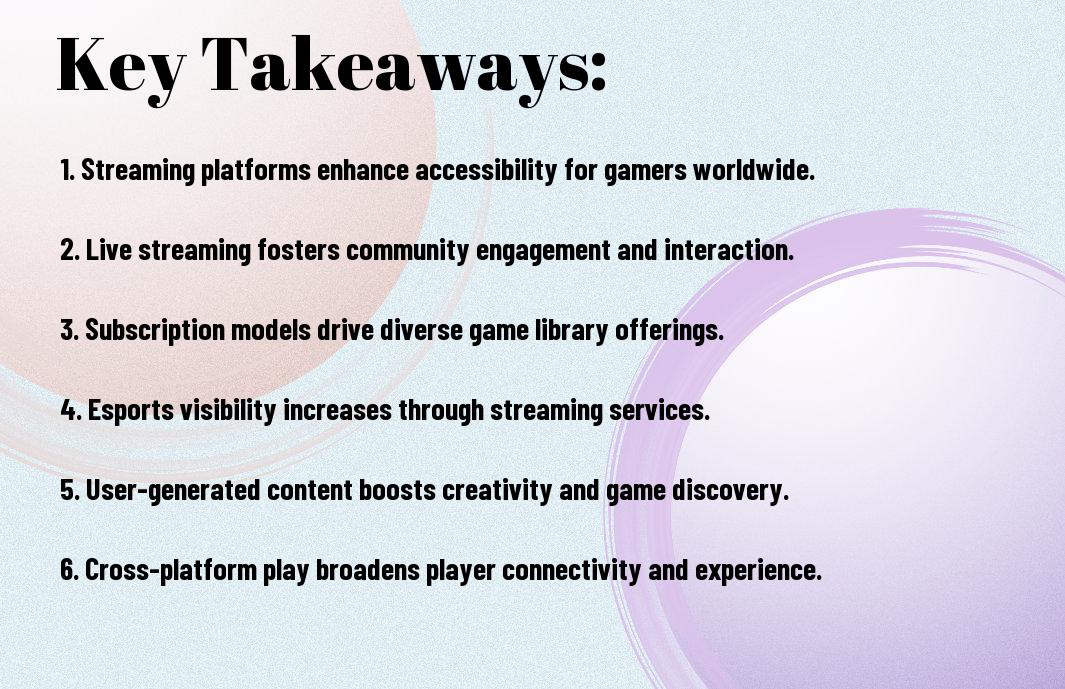
Key Takeaways:
- Building a budget-friendly gaming PC requires balancing performance and cost by selecting components that offer the best value for their price, such as mid-range graphics cards and processors that can handle demanding games.
- Upgrading individual components over time can be a cost-effective way to improve gaming performance, allowing users to prioritize the most important parts, like the graphics card or RAM, and upgrade other components later.
- Researching and comparing prices, as well as considering last year’s models or refurbished components, can help gamers save money without sacrificing too much performance, making it possible to build a powerful gaming PC on a limited budget.
Essential Components
Your journey to building a budget gaming PC starts with selecting the right components, and you can find guidance on this process in articles like Making a monster: how to build a budget gaming PC without losing your mind, which offer valuable insights into creating a powerful machine without overspending.
CPU Selection
Essentially, you will need to choose a CPU that balances performance and price, considering factors like clock speed and cores to ensure your PC can handle demanding games.
Budget Graphics Cards
Between the various options available, you should look for graphics cards that offer the best performance at an affordable price, considering factors like memory and cooling systems to optimize your gaming experience.
Selection of a budget graphics card depends on your specific needs, such as the types of games you play and the level of detail you want, so you should consider these factors when choosing the right card for your PC, ensuring it meets your gaming requirements without breaking the bank.
Smart Shopping
While building a gaming PC, you’ll want to make sure you’re getting the best components for your money. Check out How to Build a PC: The Ultimate Beginner’s Guide for tips on what to look for.
When to Buy
Before making a purchase, consider the time of year and look for sales during holidays like Black Friday or back-to-school season, as you can often find discounts on the components you need.
Where to Find Deals
Find the best deals by shopping during sales tax holidays or using cashback apps, which can help you save even more on your gaming PC components.
Smart shoppers like you can also sign up for newsletters and follow social media accounts of your favorite retailers to stay informed about upcoming deals and promotions, helping you build your gaming PC on a budget.

Build Priorities
For your gaming PC build, you need to set priorities to ensure you get the best performance without breaking the bank. You’ll want to balance your spending between different components to achieve optimal gameplay.
Performance vs. Cost
Across various components, you’ll find a trade-off between performance and cost, and you must decide what matters most to you, considering your budget and gaming needs.
Future-Proofing
Between the latest technologies and current budget constraints, you’ll need to make informed decisions to ensure your PC remains relevant in the coming years, taking into account your potential future needs.
Plus, when considering future-proofing, you should think about the upgradeability of your components, such as the motherboard and power supply, to ensure you can easily add or replace parts as new technologies emerge, allowing you to extend the life of your gaming PC and keep your gameplay epic.
Assembly Tips
Despite the complexity of building a PC, you can achieve epic gameplay with the right guidance. Consider the following:
- Ground yourself to prevent static electricity damage
You can find more information on How to build or upgrade an old PC to a budget-friendly gaming PC from scratch. Assume that your PC build will be a success with these tips.
Tool Requirements
About the tools you need, make sure you have a screwdriver, pliers, and a wrench to start assembling your PC.
Step-by-Step Process
The Assembly Steps are as follows:
| Step | Description |
|---|---|
| 1 | Unpack components |
| 2 | Assemble the CPU |
You will be guided through each step to ensure your PC is built correctly.
Tool selection is vital for a smooth assembly process. The Tool Checklist is as follows:
| Tool | Purpose |
|---|---|
| Screwdriver | For screwing components |
| Pliers | For gripping small parts |
You will use these tools to assemble your PC, following the step-by-step guide provided.
Operating System
Unlike other components, your operating system is the backbone of your gaming PC, and you’ll need to choose one that meets your needs and budget.
Windows Options
Among the various options available, Windows 10 is a popular choice among gamers, offering a wide range of features and compatibility with most games, and you can consider it for your gaming PC.
Free Software Alternatives
Beneath the surface of paid operating systems, you’ll find free alternatives like Linux, which can be a viable option for your gaming PC, offering a cost-effective solution.
Considering the free software alternatives, you’ll find that Linux distributions like SteamOS and Ubuntu offer a range of games and customization options, allowing you to personalize your gaming experience, and you can explore these options to find the one that suits your needs and budget, giving you more flexibility and control over your gaming PC.
Performance Optimization
Keep your gaming PC running smoothly by optimizing its performance, which can significantly enhance your gaming experience. You can achieve this by tweaking your system’s settings to get the most out of your hardware.
BIOS Settings
Besides the operating system, your BIOS settings also play a significant role in determining your PC’s performance. You can adjust these settings to prioritize your system’s resources, ensuring that your games run at optimal levels.
Game Settings
To get the best gaming experience, you need to adjust your game settings accordingly. You can tweak the graphics, sound, and other settings to achieve a perfect balance between performance and visual quality.
Optimization of your game settings is key to unlocking your PC’s full potential. You can experiment with different settings to find the perfect combination that works for you, and your system will reward you with smoother gameplay and faster load times, allowing you to fully immerse yourself in your favorite games.
Summing up
As a reminder, you can achieve epic gameplay without breaking the bank by building your own PC. You have the power to choose your components, allowing you to create a system that meets your specific gaming needs. By prioritizing your spending and selecting the right parts, you can enjoy a seamless gaming experience on your budget. Your ability to balance performance and cost will ultimately determine the success of your gaming PC build.
FAQ
Q: What is the most important factor to consider when building a gaming PC on a budget?
A: When building a gaming PC on a budget, the most important factor to consider is the balance between performance and cost. It’s necessary to prioritize the components that will have the greatest impact on gaming performance, such as the graphics card and processor, while also considering the cost of each component. A well-balanced build will ensure that you get the best possible performance for your money, without breaking the bank.
Q: What are the minimum system requirements for playing modern games at high settings?
A: The minimum system requirements for playing modern games at high settings typically include a multi-core processor with a clock speed of at least 3.0 GHz, 16 GB of RAM, and a dedicated graphics card with at least 4 GB of video memory. Additionally, a 64-bit operating system and a fast storage drive, such as an SSD, are also highly recommended. However, the specific requirements may vary depending on the game and its system requirements.
Q: How can I choose the right graphics card for my budget gaming PC?
A: Choosing the right graphics card for your budget gaming PC involves considering several factors, including your budget, the types of games you want to play, and the level of performance you need. Look for a graphics card that meets the system requirements of the games you want to play, and consider factors such as the card’s memory, clock speed, and power consumption. It’s also necessary to check reviews and benchmarks to ensure that the card performs well in real-world gaming scenarios.
Q: Can I build a gaming PC with a budget of $500 or less?
A: Yes, it is possible to build a gaming PC with a budget of $500 or less, but it may require some compromises on performance and features. You can consider using last-year’s models or more affordable alternatives for components such as the processor, graphics card, and RAM. Additionally, look for deals and discounts on components, and consider buying refurbished or used parts to save money. However, keep in mind that a budget of $500 or less may limit your ability to play the latest games at high settings.
Q: How can I upgrade my existing PC to improve gaming performance without breaking the bank?
A: Upgrading your existing PC to improve gaming performance can be a cost-effective way to boost your gaming experience. Consider upgrading your graphics card, adding more RAM, or replacing your hard drive with a faster SSD. You can also overclock your processor or adjust your game settings to optimize performance. Additionally, look for free or low-cost upgrades, such as updating your drivers or adjusting your power settings, to squeeze out extra performance from your existing hardware.